
Location Map Pro for HubSpot CMS
The Clean "Where to Find Us" Section HubSpot Never Shipped
Add your offices, stores, clinics, or branches as cards, each with its own embedded Google Map, and visitors get a real, pannable map per location plus tap-to-call phone and email links. Best of all it needs no Google Maps API key: no Cloud project, no billing card, nothing to leak or expire. Every pixel is an editor field, and it inherits your theme's font and primary color out of the box.
Get the Module Works with any HubSpot CMS theme · No API key · $14.99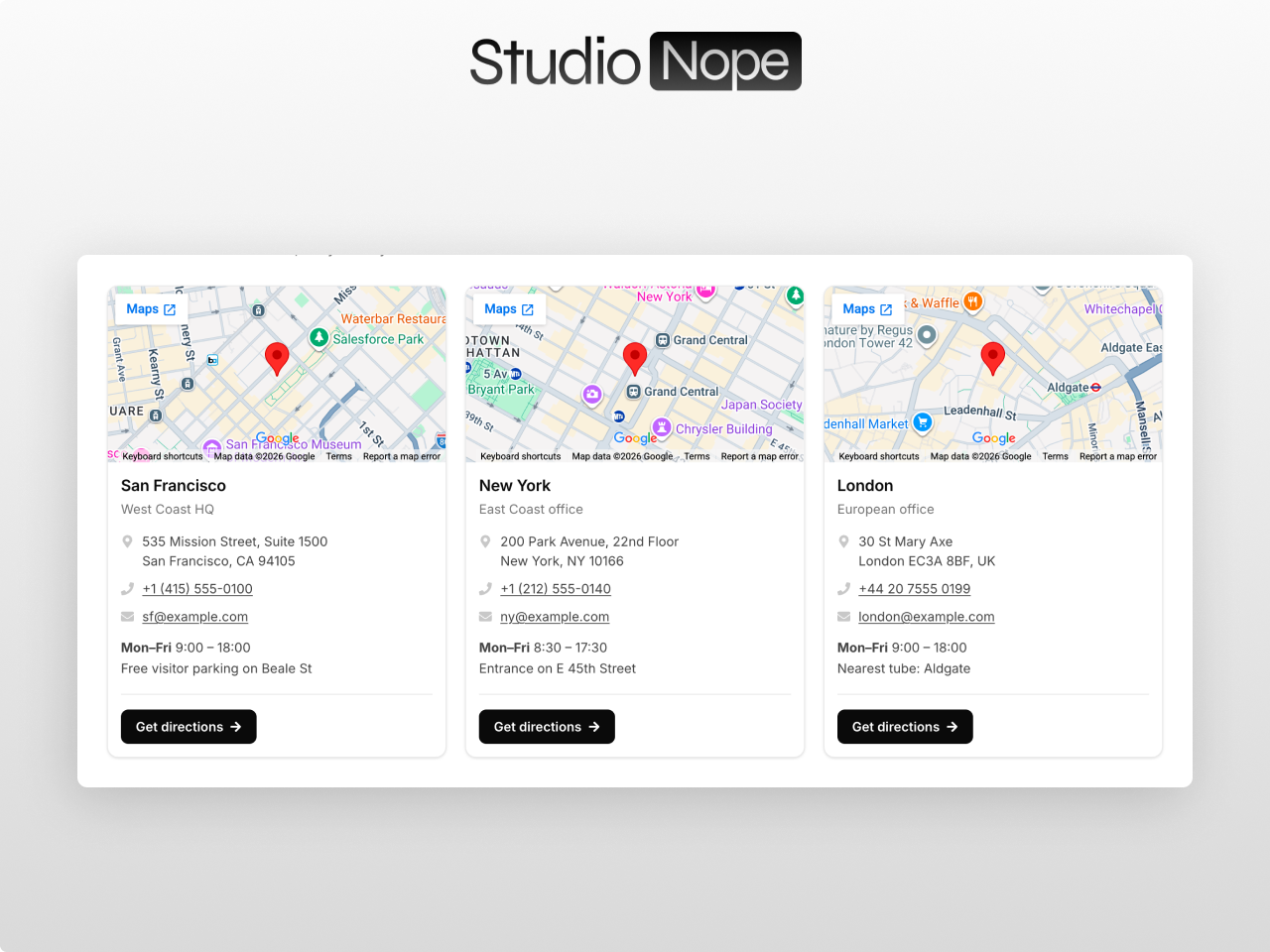
A real map on every location, no API key required
A Map on Every Card, No API Key
Each location card embeds its own pannable Google Map, generated from its address or a lat,lng pair, with no Google Maps API key, no Cloud project, and no billing. Add up to 12 locations in a repeater; a single one reads as a clean contact card.
Real Contact Details and a Button
Every card has a title, address, phone with tap-to-call, email with mailto, and an optional rich-text block for hours or notes, plus a fully styled button. Swap the address, phone, email, and button icons for any Font Awesome icon, all from the editor.
Style Every Pixel
Colors, fonts, sizes, radii, borders, shadows, gaps, padding, icon size, and the map's color effect are all module fields, and it inherits your theme's font and primary color. Light, dark, minimal, or branded: same module, no custom CSS.
Six Map Color Effects
Set the map to full-color, grayscale, muted, night, or a custom filter, and adjust its height, corner radius, and zoom per card. The three demos on the marketplace listing are the exact same module dressed three completely different ways.
Map on Any Side, 1 to 4 Columns
Put the map above, below, left, or right of the text on each card, and lay your locations out in one to four columns. It collapses to a tidy single column on mobile so a long list of branches stays easy to scan on a phone.
No JavaScript, Fast and Accessible
No JavaScript, no jQuery, no dependencies, just fast, accessible, server-rendered HTML. It drops into any HubSpot CMS theme and is ready to go the moment you add your first location.
What you can build
Location Map Pro fits any business that wants visitors to find them. Here are four common uses.
Multi-location store finder
A grid of branch cards, each with its own map, address, hours, and a "Get directions" button, laid out in two to four columns and collapsing cleanly to one on mobile.
Single contact card
One location reads as a clean contact card: a pannable map beside your address, tap-to-call phone, email, and opening hours, perfect for a contact page or footer area.
Clinics and franchises
List every clinic, office, or franchise with per-location hours and phone numbers, styled to match your brand, with no Google Cloud project or billing to manage.
Branded "find us" section
Match the cards and maps to your brand with the color effect, fonts, and button style, dropping a polished "where to find us" block onto any page without custom CSS.
Works with any HubSpot theme
Location Map Pro is a standalone module. Install it in any HubSpot CMS portal and drop it on any page, including website pages, landing pages, and blog posts. No theme dependency, no jQuery, no external libraries, and no Google Maps API key.
Questions
Do I need a Google Maps API key?
addDoes every location get its own map?
addHow much can I style?
addWhere can I put the map, and is it responsive?
addAdd a real "where to find us" section with Location Map Pro
A pannable map on every location with no API key, real contact details and a button per card, six map color effects, map on any side, 1 to 4 columns, and every pixel styleable from the editor. No code required.
Get the ModuleRelated modules: Team Directory Pro · Footer Pro · Image Hotspot Pro · All Modules