
Job Board Pro for HubSpot CMS
HubSpot Job Board Module — Career Page with Filters, Detail Modal & Google Jobs SEO
A native HubSpot career page module that replaces iframe embeds of ZipRecruiter, Jobvite, and Greenhouse with a fully integrated HubSpot experience. This HubSpot job board module includes category-based job organization, multi-criteria search, side-drawer detail view, deep-linkable URLs, and Schema.org structured data. 75+ style controls.
Get the Module Works with any HubSpot CMS theme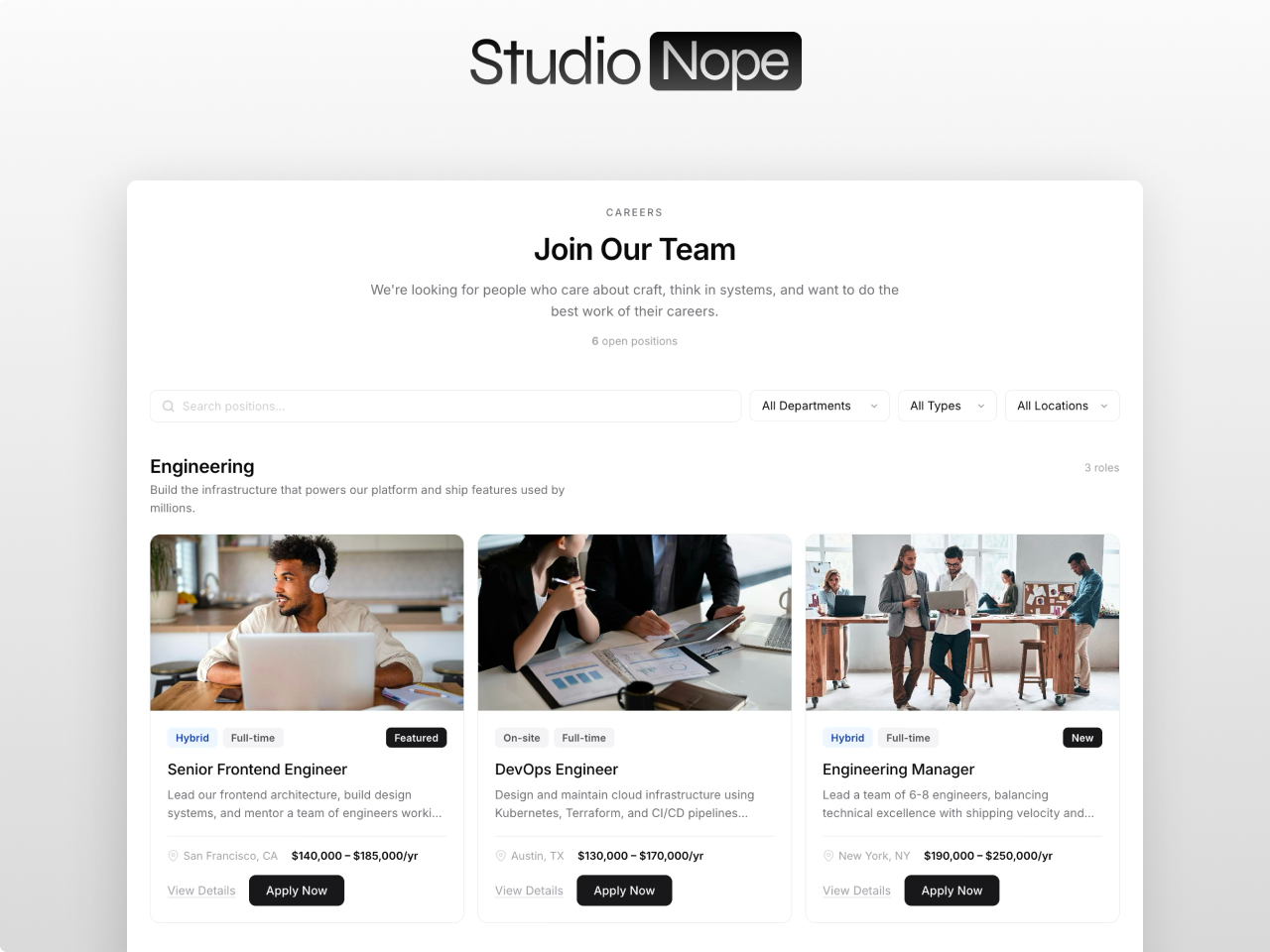
Everything you need in a career page module
Category-Based Job Organization
Group jobs into up to 12 departments, each with name, description, and optional icon. Categories render as distinct sections with dividers and role counts. When all jobs in a category are filtered out, the section hides automatically.
Multi-Criteria Search & Filters
Keyword search with debounced input, category dropdown auto-populated from your data, employment type dropdown, and location type dropdown. All filters combine for real-time multi-criteria search. Stacks vertically on mobile.
Side-Drawer Detail View
Detail panel slides in from the right with sticky header, tag chips, rich text description, meta sidebar with department, location, type, and salary, plus an apply CTA. Focus trapped inside, closes via button, backdrop click, or Escape key.
Deep-Linkable Job URLs
Every job listing gets a unique URL hash automatically. Share a direct link to any position and the detail modal opens on page load. Duplicate titles are auto-suffixed to prevent conflicts.
Schema.org Structured Data
Automatic JSON-LD markup for every listing including title, description, salary, employment type, location, and organization. Supports 8 currencies. Makes your career page eligible for Google Jobs rich results with zero configuration.
Card Grid & List Layouts
Card grid mode with 1 to 4 columns showing image, badges, title, excerpt, location, salary, and actions. List view renders compact divider-separated rows with badges right-aligned. Both layouts share the same toolbar and modal.
75+ Style Controls
Full control over cards (shadow, hover lift, image zoom), badges (5 color-coded sets for location types), filters, buttons, detail panel (overlay, sidebar, meta box), typography (8 font sizes, 2 font pickers), category dividers, animation speed, and responsive breakpoints.
Fully Accessible
Focus-visible outlines, keyboard navigation, ARIA attributes (role, aria-modal, aria-label, aria-live), focus trap in modal, and semantic HTML. Built for compliance without compromising the visual design.
What you can build
Job Board Pro adapts to any hiring scenario. Here are four ways teams use it.
Corporate career page
Category-based job listings organized by department. Multi-criteria search for keyword, location, and employment type. Side-drawer detail modal with full job description and apply button. Schema.org JobPosting structured data gets your listings into Google Jobs.
Staffing agency job board
List view with compact job cards for high-volume postings. Deep-linkable URLs let recruiters share individual listings via email or social media. 8 currency support for international salary ranges.
University or nonprofit job listings
Card grid layout with department filtering. Rich text descriptions for detailed position requirements and benefits. Auto-hiding empty departments when filters reduce results.
Franchise or multi-location hiring
Filter by location type (remote, hybrid, onsite) across multiple office locations. Category tabs organize by franchise region or brand. Side drawer keeps visitors on the page while reviewing job details.
Works with any HubSpot theme
Job Board Pro is a standalone module. Install it in any HubSpot CMS portal and drop it on your careers page. No theme dependency, no jQuery, no external libraries. Pure vanilla JavaScript. Accent colors inherit from your theme settings.
Questions
What HubSpot tier do I need?
addDoes it replace our ATS?
addHow many jobs can I list?
addDoes it help with Google Jobs?
addCan I customize the look?
addDo you offer support?
addReplace your careers page iframe with a native HubSpot experience
Job Board Pro is available on the HubSpot Marketplace. Category-based organization, multi-criteria search, deep-linkable modals, and Google Jobs SEO.
Get the Module