
Before After Pro for HubSpot CMS
HubSpot Before and After Slider — Image Comparison Module
A smooth HubSpot before after slider that lets visitors drag to compare two images. Perfect for renovations, retouching, product changes, or any visual transformation — this image comparison module for HubSpot is fully customizable with 26+ style controls.
Get the Module Works with any HubSpot CMS theme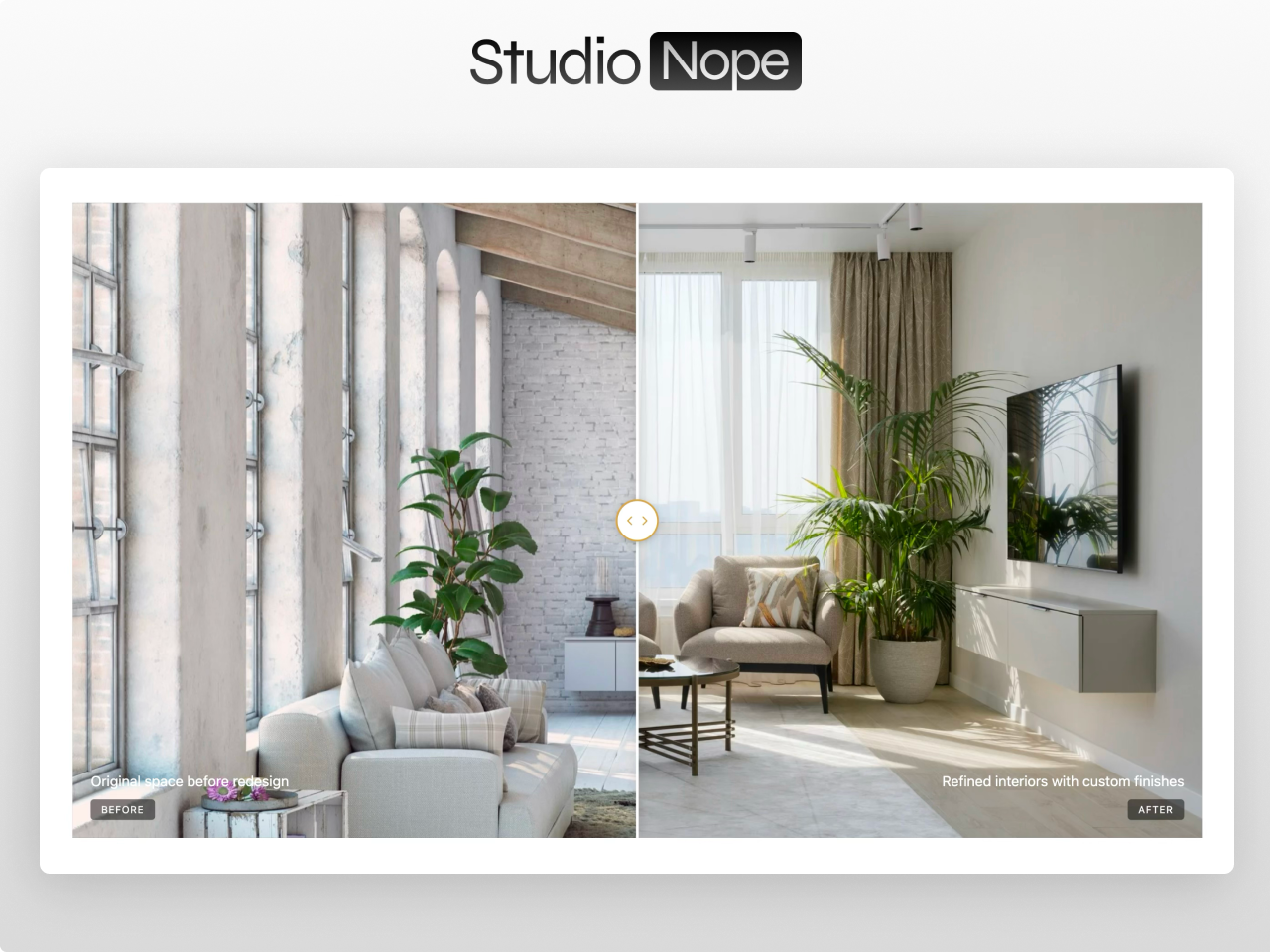
Everything you need in a comparison slider
Smooth Drag Interaction
Clip-path based image reveal with fluid mouse and touch support. Visitors drag the handle to compare — works seamlessly on desktop and mobile devices.
5 Aspect Ratio Presets
16:9 Widescreen, 4:3 Standard, 3:2 Landscape, 1:1 Square, or 21:9 Ultrawide. Plus min/max height controls and 5 box shadow presets for the perfect frame.
Custom Divider & Handle
Full control over the divider line color, width, and shadow. Circular handle with configurable background, icon color, border color, and size. Brand colors inherit from your theme.
Configurable Labels
Show or hide "Before" and "After" labels. Custom text color, background with opacity, font size, border radius, and padding. Position them exactly how you want.
Optional Captions
Add descriptive captions below each image for additional context. Configurable text color and font size to match your design.
Adjustable Start Position
Set the initial slider position anywhere from 10% to 90%. Control exactly how much of each image visitors see before they start dragging.
Responsive Design
Custom breakpoints for tablet and mobile. Handle and labels resize gracefully. Touch-optimized for smooth mobile interaction.
26+ Style Controls
Container width, aspect ratio, border radius, box shadow, divider styling, handle colors, label appearance, caption typography, spacing, and responsive breakpoints — all from the Style tab.
What you can build
Before After Pro works for any visual comparison on HubSpot. Here are a few examples of what you can create.
Interior design transformations
Show room renovations with a smooth clip-path slider. Square or 4:3 aspect ratio for room photography. Custom handle styling to match your brand. Touch support for mobile visitors browsing your portfolio.
Dental and medical results
Display treatment results with a professional comparison slider. 3:2 aspect ratio for clinical photography. Configurable starting position set to 50% for balanced initial view. Clean labels for before and after states.
Real estate staging comparisons
Compare empty rooms with staged versions for property listings. 16:9 aspect ratio for wide interior shots. Custom divider line color to match property branding.
Product photography enhancement
Show raw vs edited product photos for photography studios. Auto aspect ratio to preserve original image dimensions. Multiple sliders on the same page for different product categories.
Works with any HubSpot theme
Before After Pro is a standalone module. Install it in any HubSpot CMS Professional portal and drop it on any page. No theme dependency, no conflicts. Handle colors inherit from your theme settings automatically.
Questions
What HubSpot tier do I need?
addDoes it work on mobile?
addCan I use multiple sliders on one page?
addDo you offer support?
addShow the difference with Before After Pro
Before After Pro is available on the HubSpot Marketplace. A smooth comparison slider for any HubSpot theme.
Get the Module